
Drive is undoubtedly one of the most popular free cloud storage platform from search engine giant Google where you can store all your files but like any other cloud storage platform you account is linked to your Email thus if by any chance you lose your account then you can’t access Drive and it’s files if they are private.
Usually, Google Drive users who never want to loose files create public links of files and save them somewhere safe so that they can access and download them anytime but Google Drive public links not only lengthy in characters but also don’t look professional if you want to send on chat or include in articles etc.
If you’re someone who frequently share Google Drive folders and files on blogs or websites then for sure it’s very important brand Google Drive lengthy links with your custom domain isn’t to get credits and let people know your’e the real owner of files right? but unfortunately as of now Google Drive has no option to customize links.
Eventhough, you can use url shortener platforms like Rebrand.ly to shorten Google Drive lengthy links with your custom domain yet once you load short link on browser it will redirect to original Google Drive lengthy links, so people will just share Google Drive lengthy links on internet without giving credits to you.
Recently, we found an github project named aicrou goindex-theme-acrou to create a serverless Google Drive indexer using Cloudflare Workers which supports custom domain so from now people will know you’re the real owner of files, isn’t cool? are you ready to create free custom domain Google Drive indexer? If yes let’s get started.
• How to create a serverless free Google Drive indexer using Cloudflare Workers •
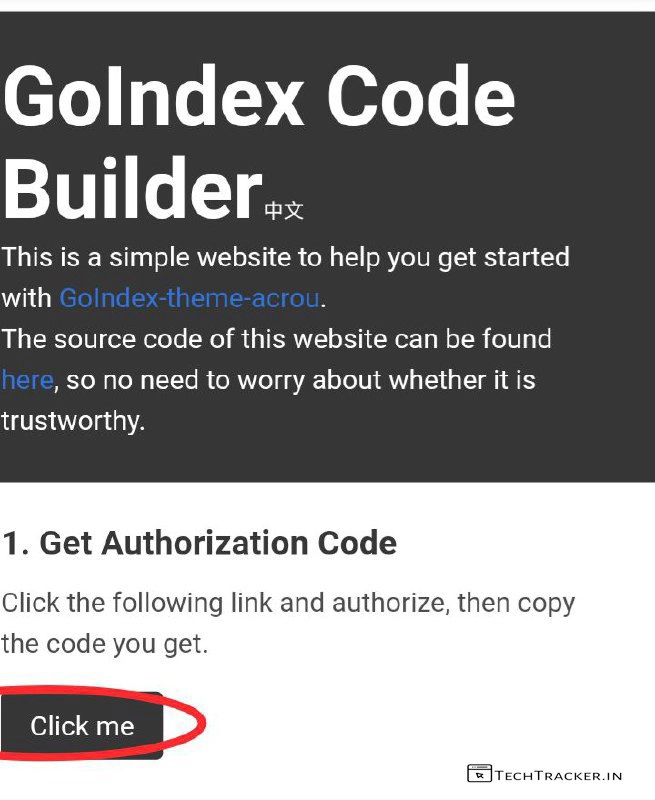
– Go to goindex-builder-acrou.glitch.me
then tap on Click me
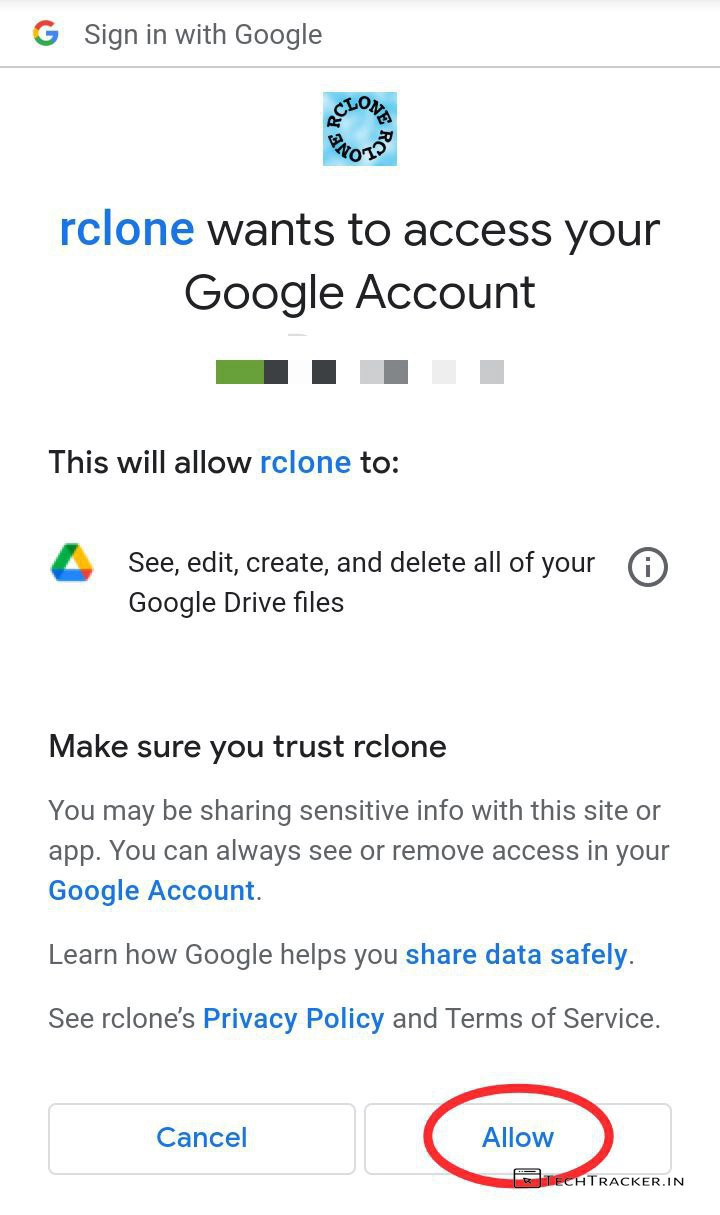
– Select your Google Account then tap on Allow
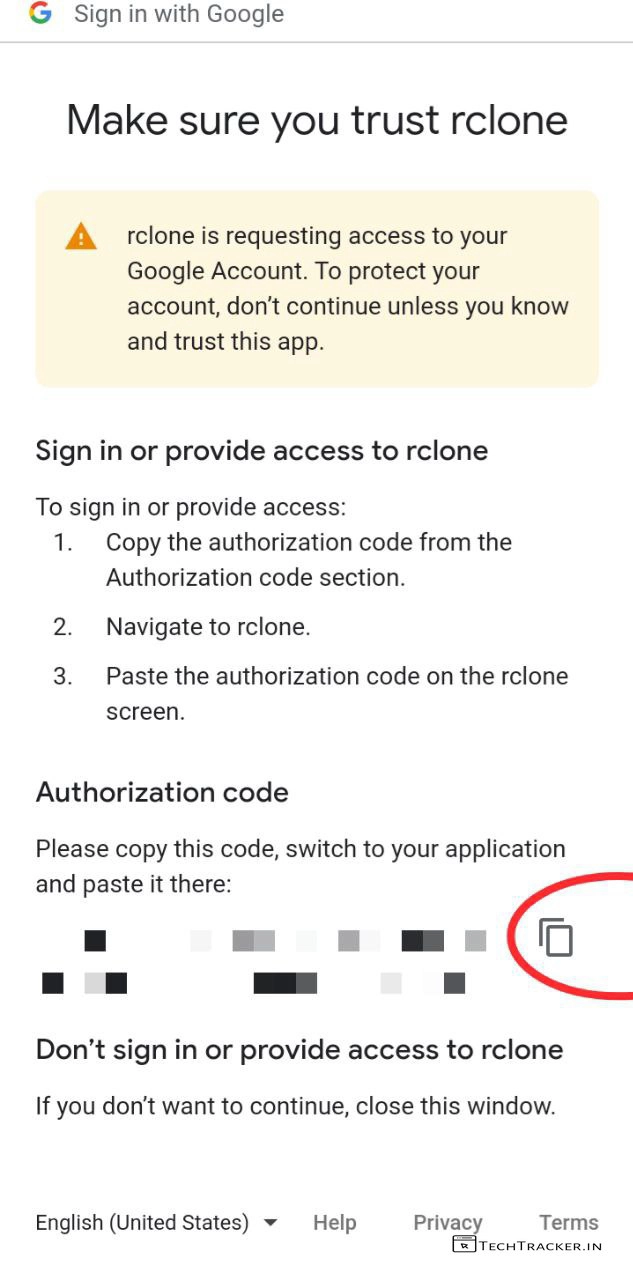
– Copy Authorization code then go back to
goindex-builder-acrou.glitch.me
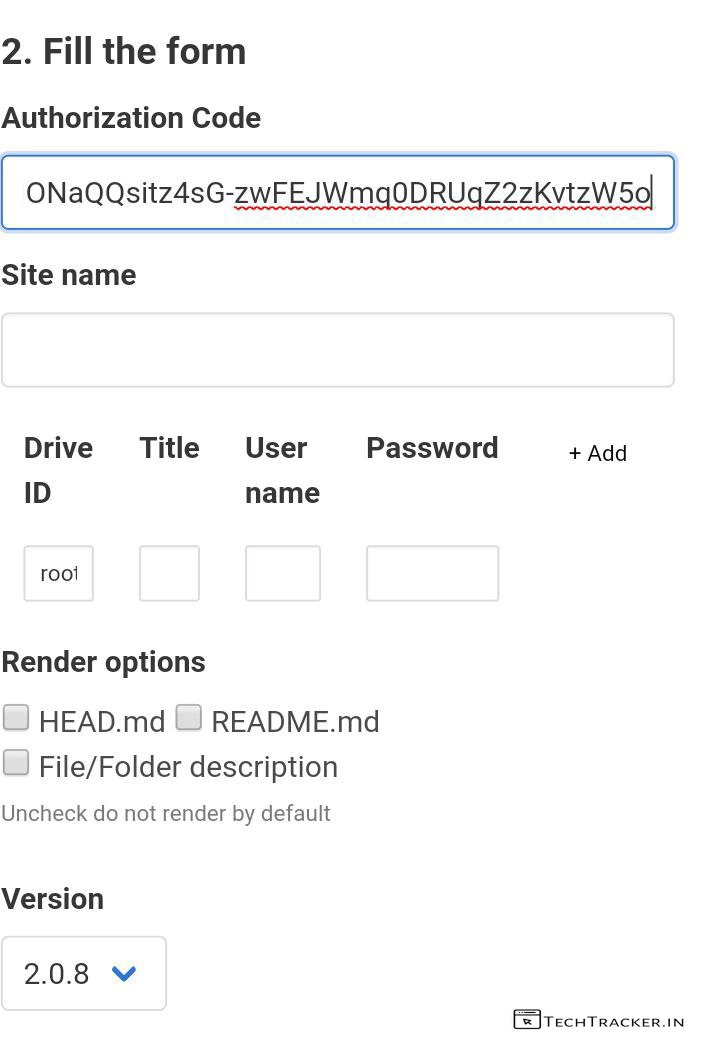
– In fill the form, Paste your Authorization code then scroll down.
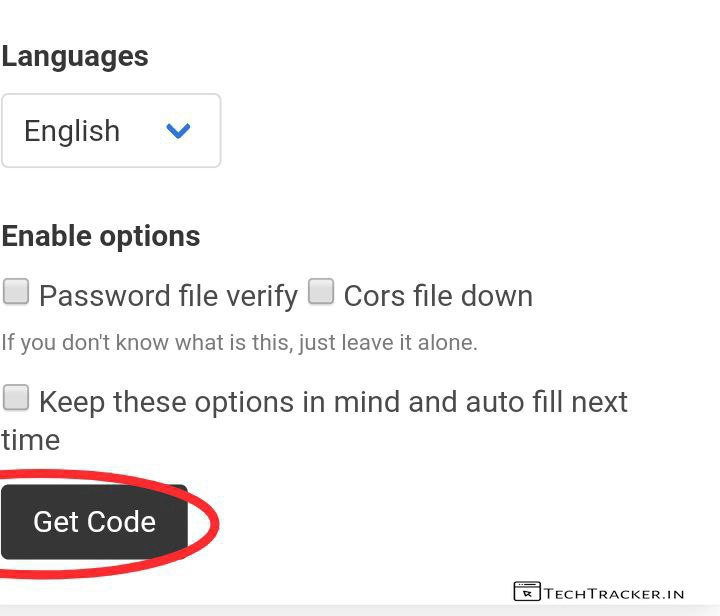
– Select language then tap on Get Code
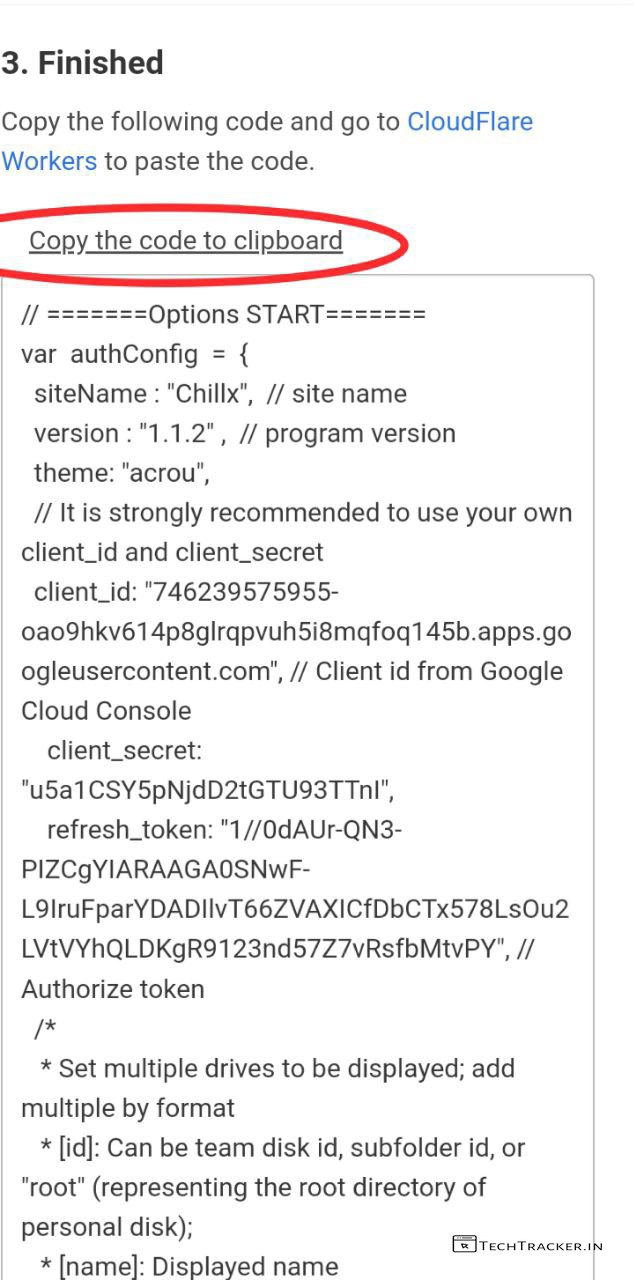
– In Finished, tap on Copy the code to clipboard
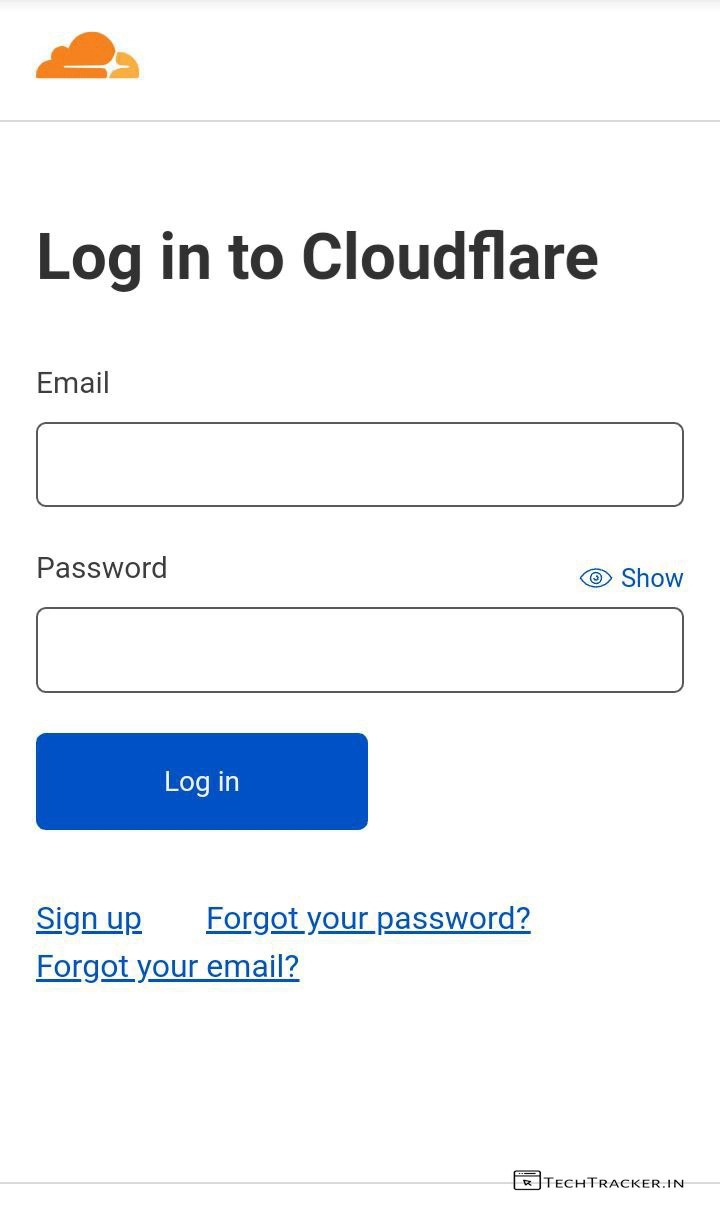
– Go to Cloudflare and sign up or login the add Website into your dashboard.
+ How to add cloudflare on blogger to optimize and stop bot traffic.
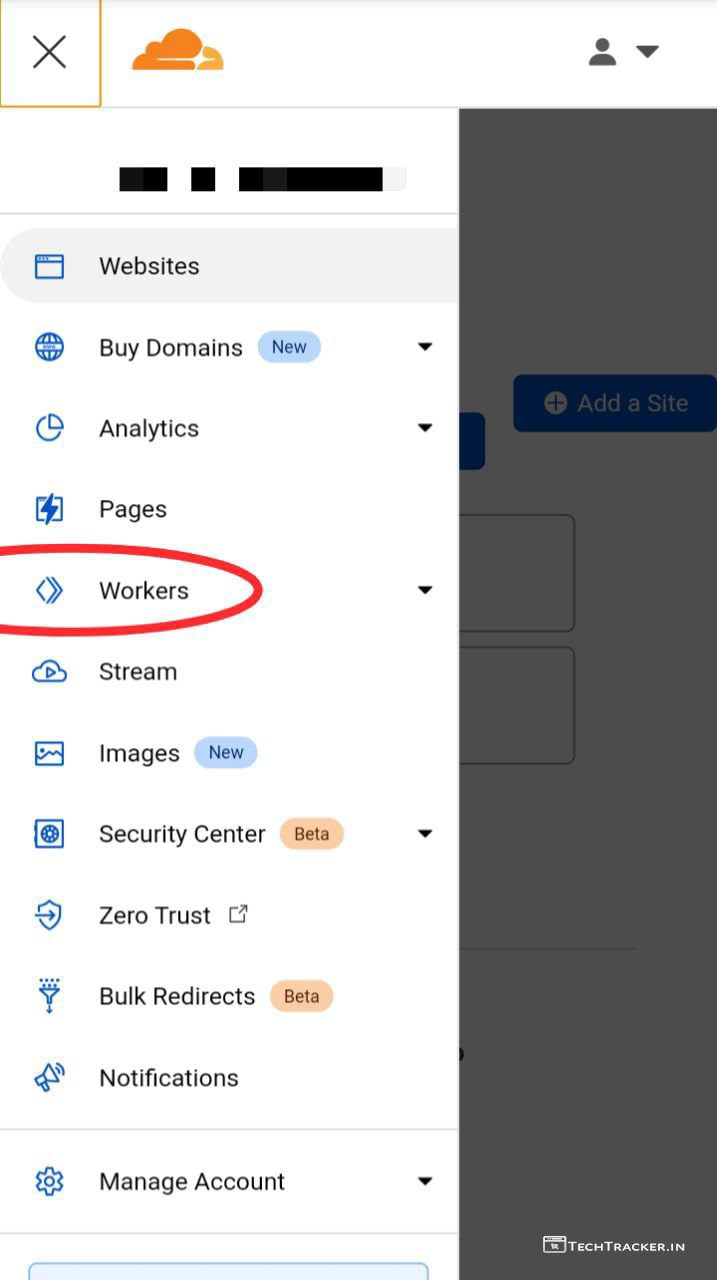
– Tap on ≡ then tap on Workers
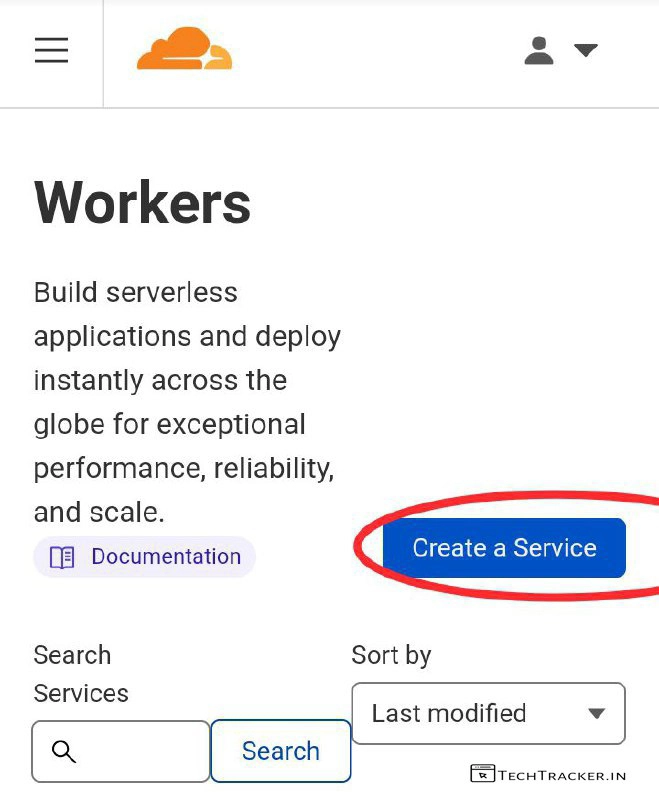
– Tap on Create a Service
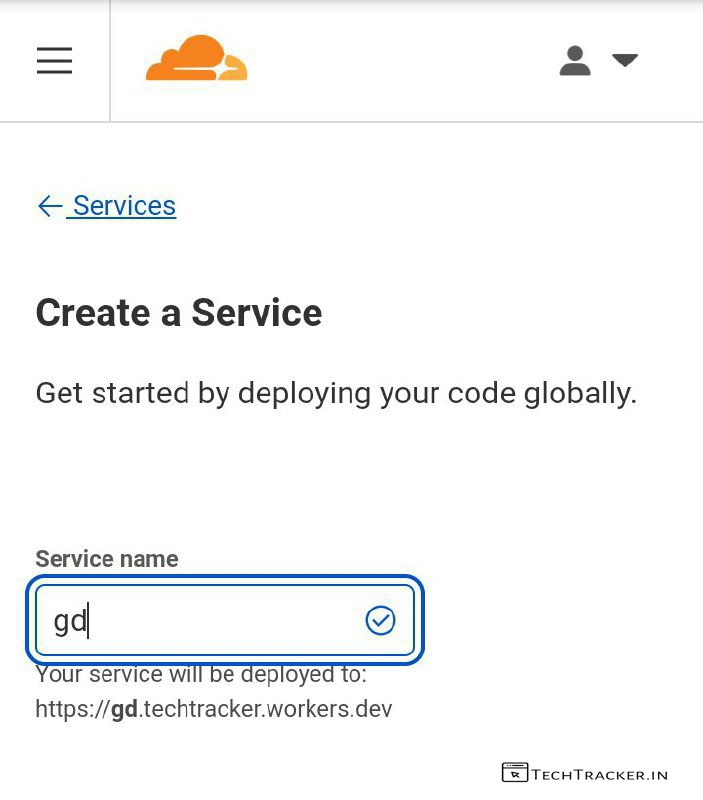
– Enter Service name then scroll down
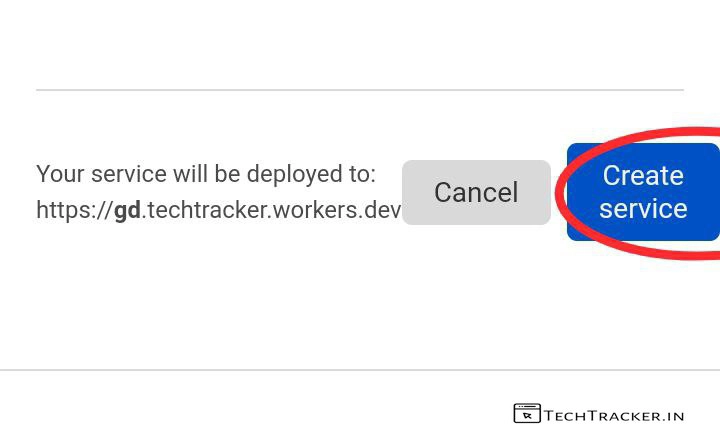
– Tap on Create service
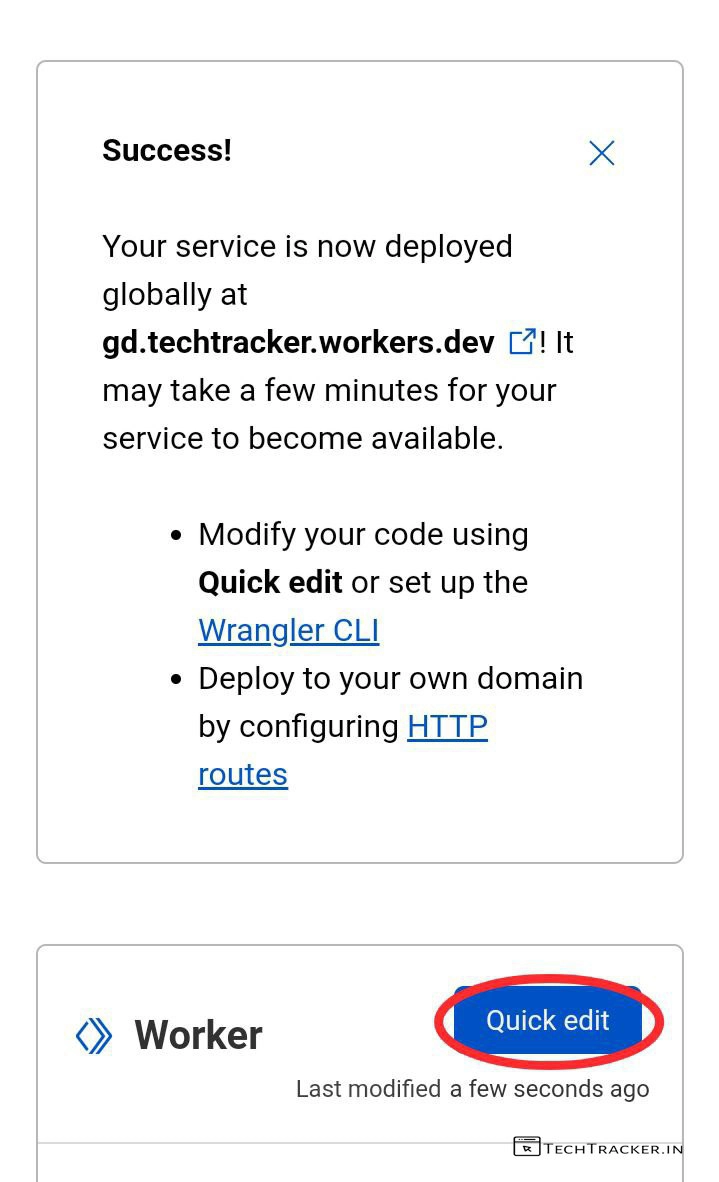
– Tap on Quick edit
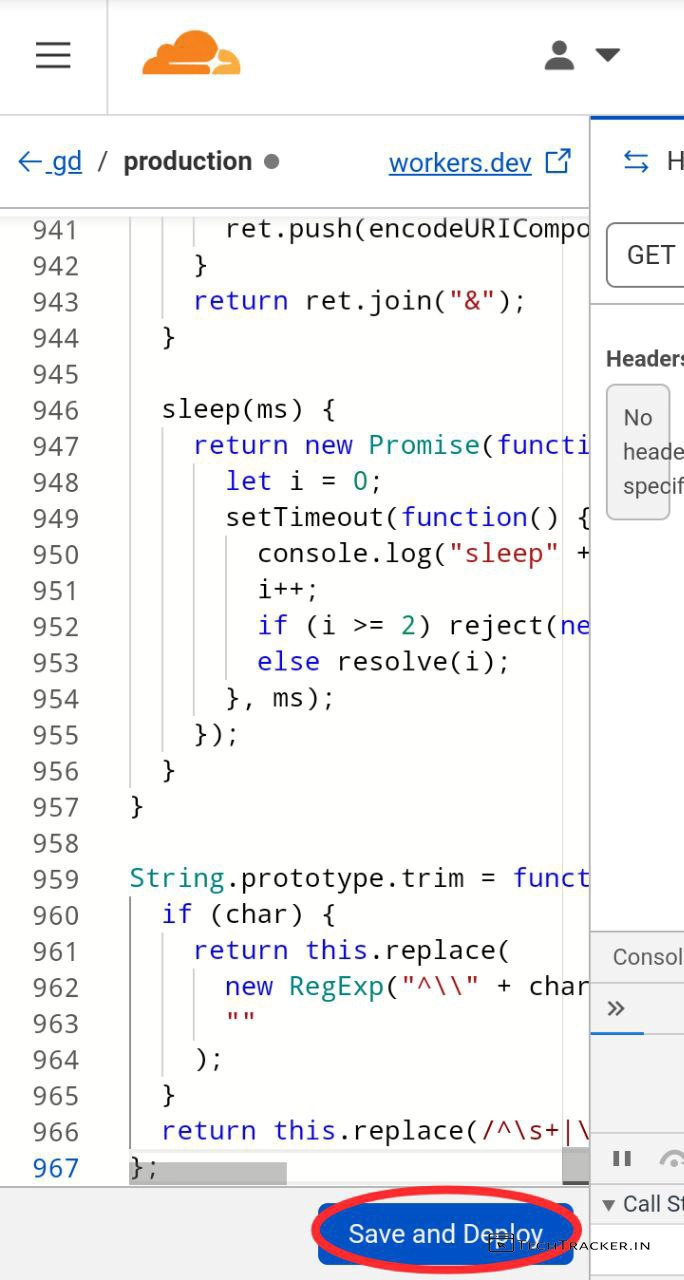
– Remove existing code and paste the code which you copied earlier then tap on Save and Deploy
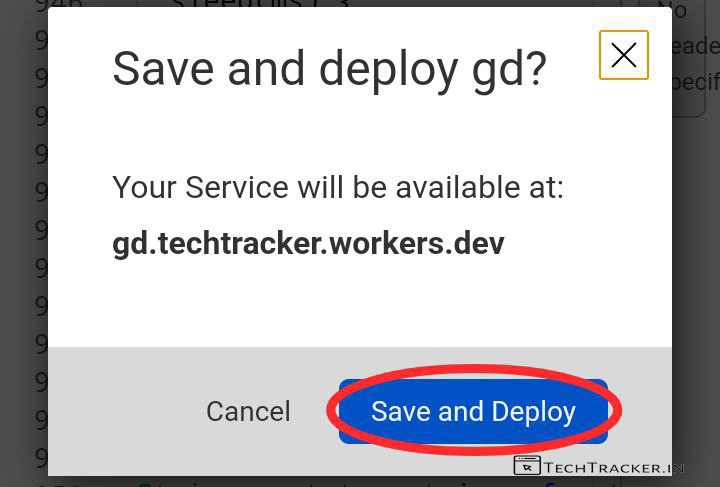
– Tap on Save and Deploy again
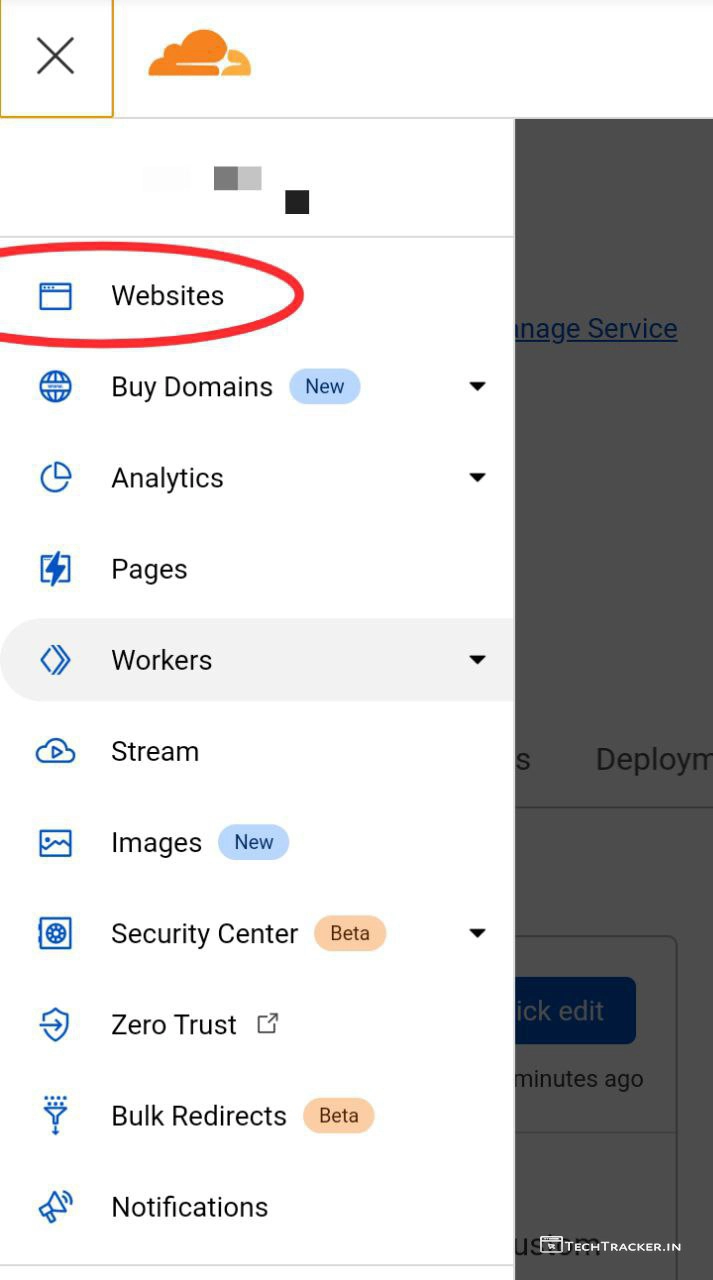
– Tap on ≡ then tap on Websites
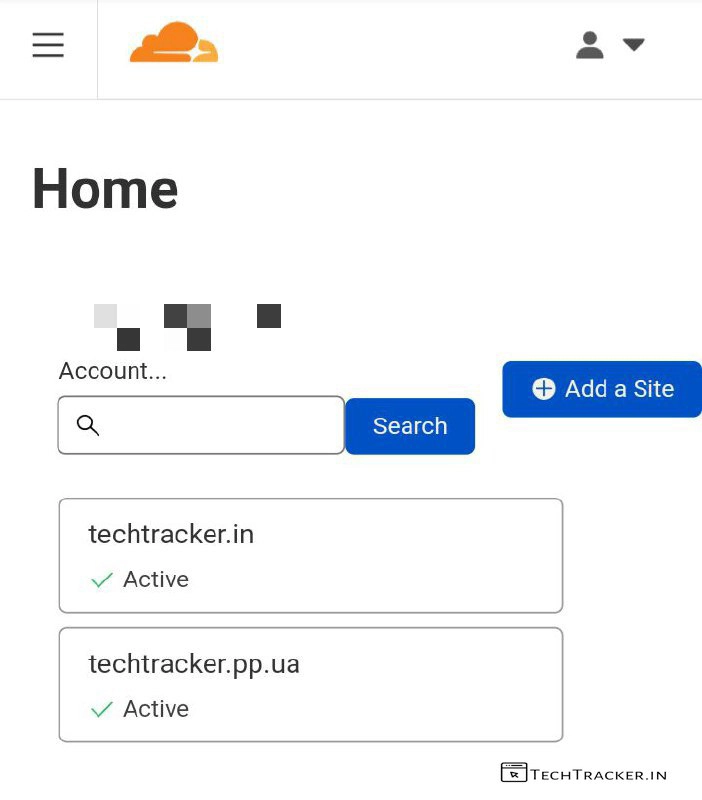
– Select your website
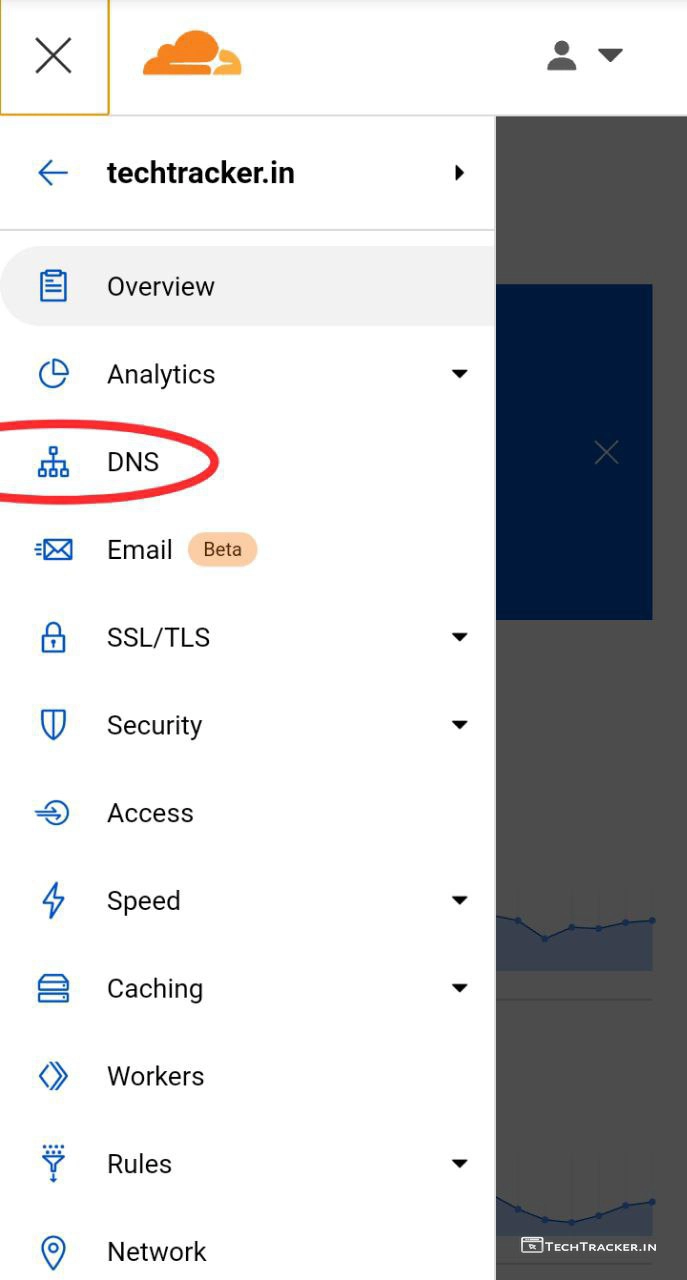
– Tap on ≡ then tap on DNS
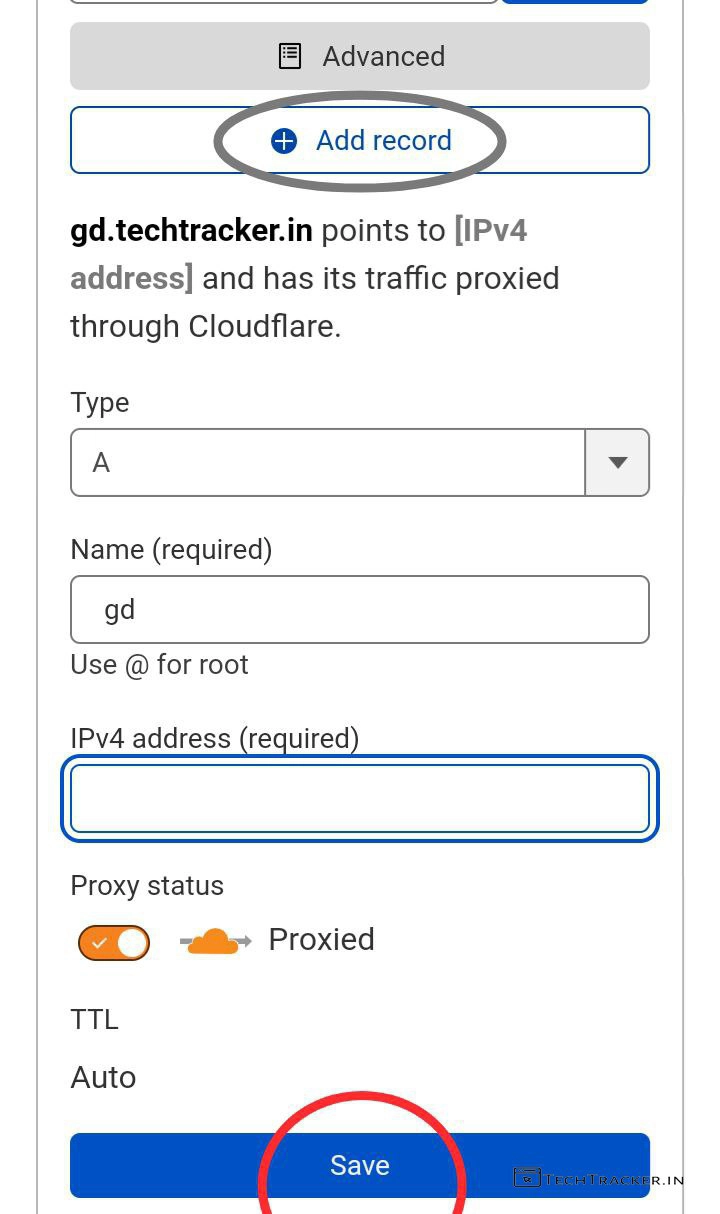
– Tap on + Add record and add subdomain using A or Cname records.
– If A records failed then try Cname records it will work for sure.
– Tap on Save
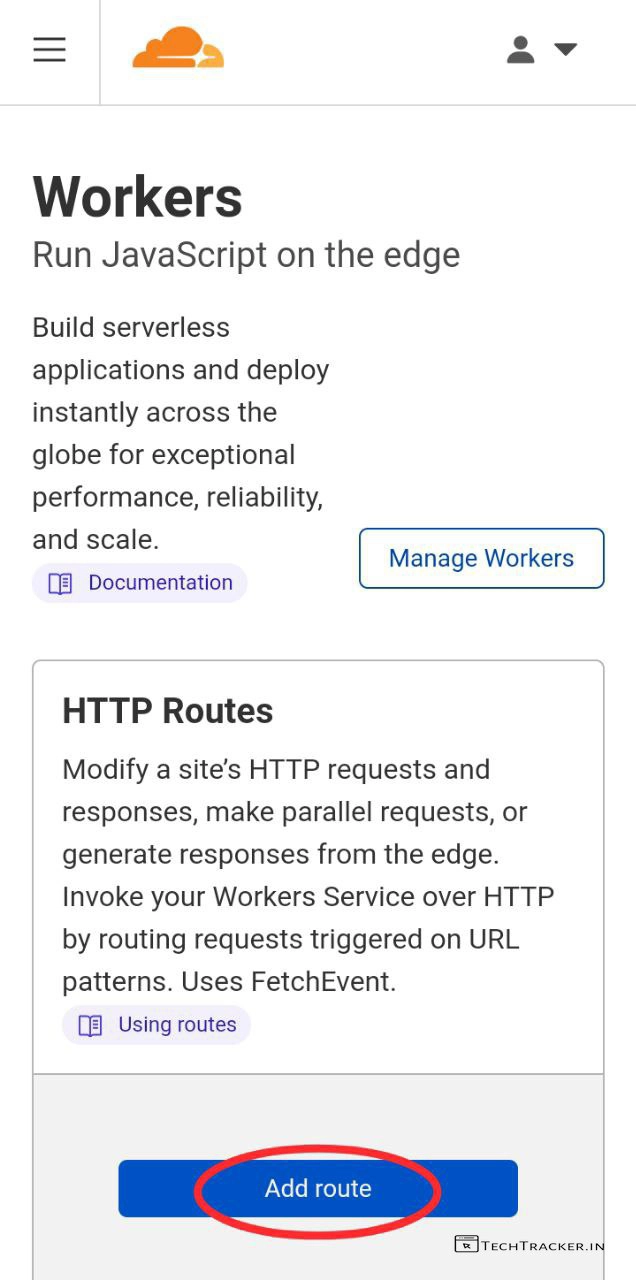
– Now, go back to Workers then tap on Add route
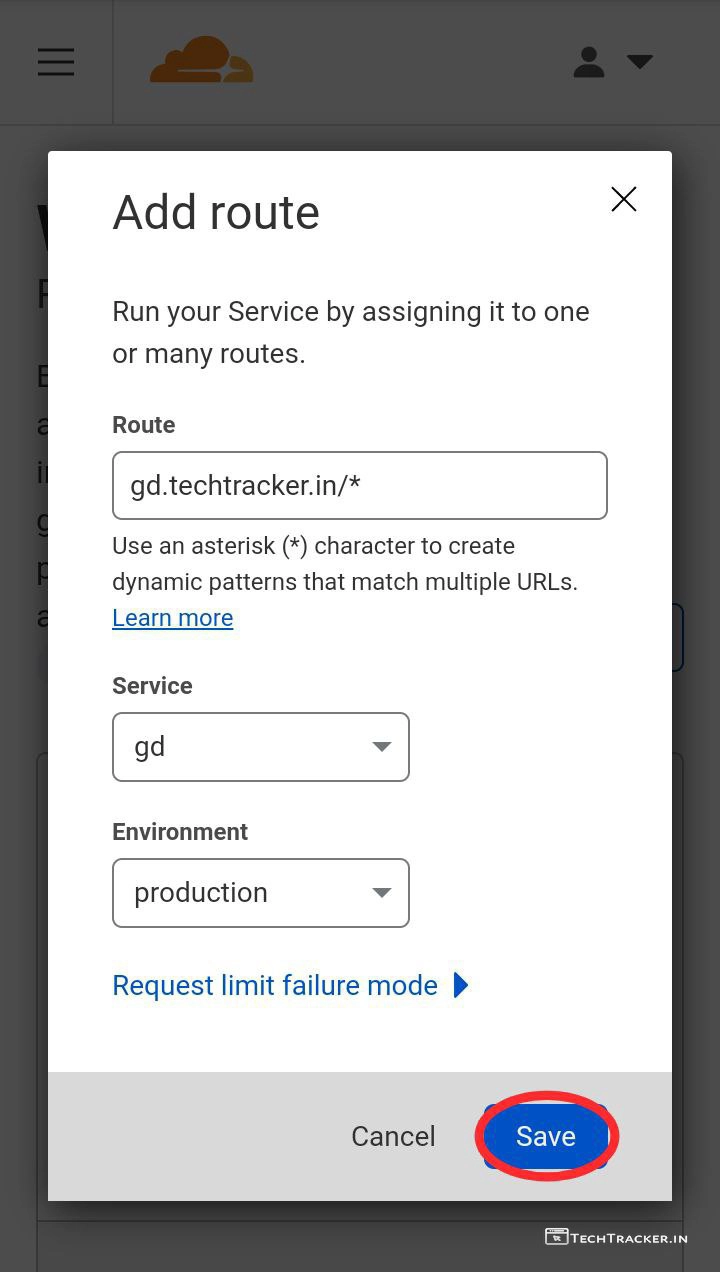
– Replace my sub-domain with yours, select Service and Environment then tap on Save
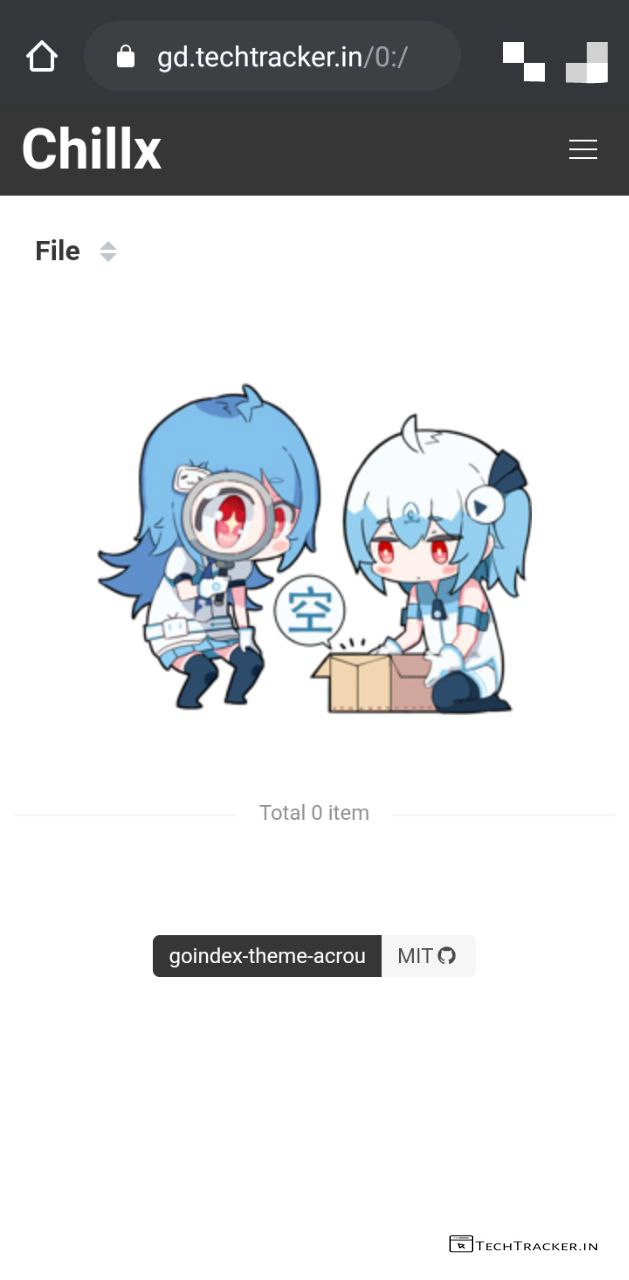
– Voila, you successfully created a free serverless custom domain Google Indexer.
Atlast, this are just highlighted features of Cloudflare Workers and aicrou goindex-theme-acrou project there may be many hidden features in-built to provide external features for ultimate usage experience, anyway if you want to create best indexer then aicrou goindex-theme-acrou is best on go choice for sure.
Overall, it is very easy to implement aicrou goindex-theme-acrou project on Cloudflare Workers to get simple and clean user-friendly Google Drive indexer for free, thanks to user friendly GitHub repository but in any project there is always space available for improvement so let’s wait and see will goindex-theme-acrou project get any major changes in future to make it even better as of now it’s pretty nice.
Moreover, goindex-theme-acrou project + Cloudflare Workers is one of the very few methods available out there on internet to create best free serverless Google drive indexer, yes indeed if you’re searching for such method then goindex-theme-acrou project potential to become your new favourite for sure.
Finally, this is how you can create a free serverless Google Drive indexer using Cloudflare Workers, are you an existing user of this method? If yes do say your experience and mention if you know any better method to get Google Drive indexer in our comment section below, see ya 🙂